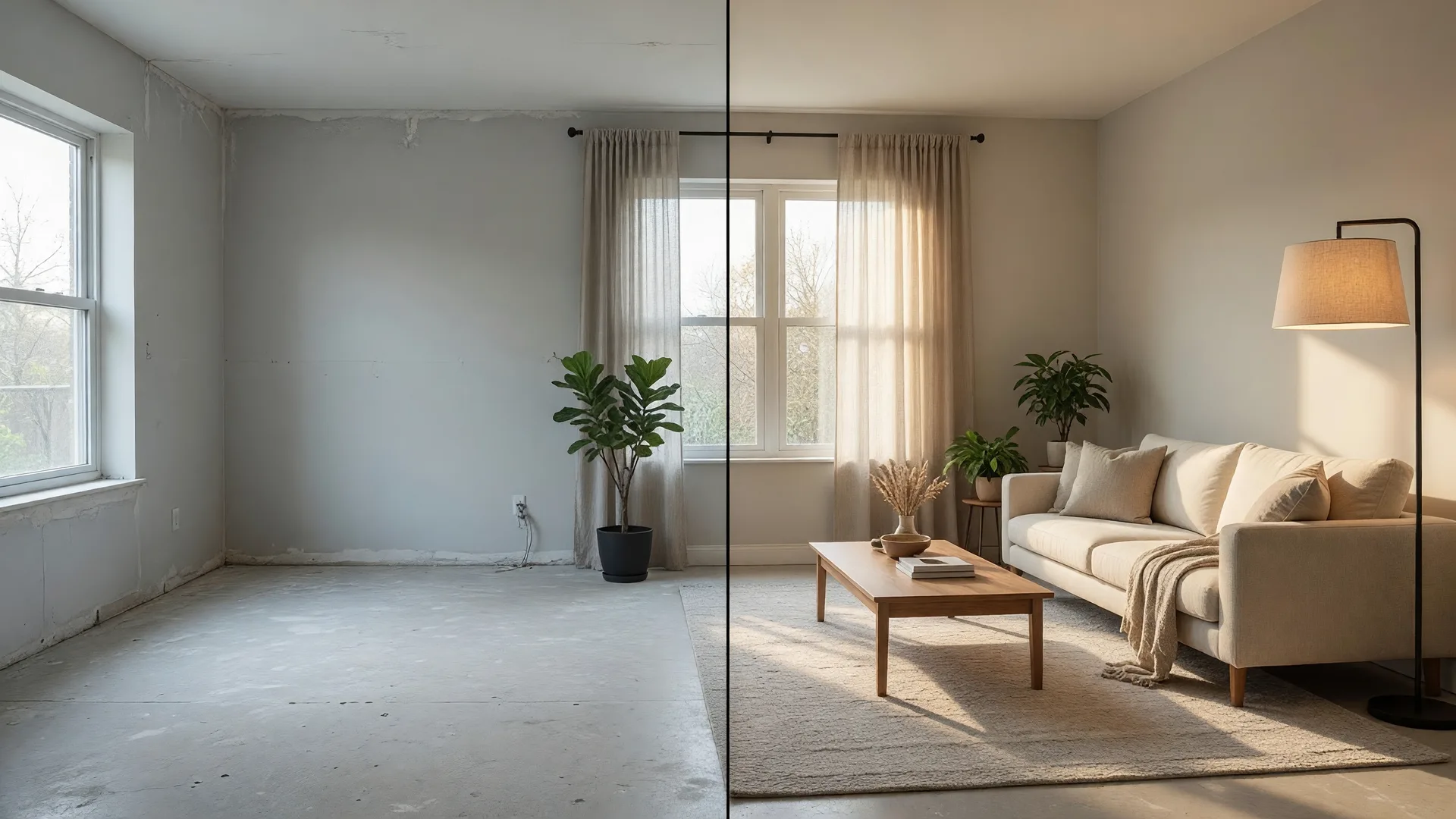
Here is a truth I have learned after 30 years in this business: listings with great photos sell faster, for more money, and with fewer price reductions. But professional photography and staging are expensive. A full photography package can run $300 to $600. Virtual staging adds another $200 to $1,000 per property. For agents listing 20 or 30 homes a year, that adds up fast.
AI has changed this equation completely. In 2026, you can produce listing visuals that rival professional photographers and stagers for pennies on the dollar -- and do it in minutes instead of days. I am not talking about cheap-looking computer graphics. I am talking about photorealistic results that buyers cannot distinguish from the real thing.
Let me walk you through the best AI tools for every aspect of listing visuals -- what they do, what they cost, and how to use them to sell more homes.
How Can AI Virtual Staging Help You Sell Vacant Homes Faster?
Virtual staging is the single biggest game-changer AI has brought to real estate marketing. According to industry data, staged listings get 40% more views and sell 73% faster than vacant ones. The return on investment for staging is over 3,500%. But physical staging is expensive and logistically complicated. AI virtual staging solves both problems.
Best AI Virtual Staging Tools in 2026
- MeltFlex -- The best overall option in 2026. Produces photorealistic staged images in under 30 seconds. Includes real furniture you can actually purchase, floor plan to 3D conversion, and AI video walkthroughs. Cost is roughly $0.30 to $0.80 per image. For an agent doing high volume, this is the tool to beat.
- BoxBrownie -- Human-powered virtual staging with professional designers. The output quality is consistently excellent, and the turnaround is usually 24 to 48 hours. More expensive than pure AI tools, but worth it for luxury listings where perfection matters. Best for high-end properties where you are charging premium commissions.
- Edensign -- A strong all-rounder with seconds-level turnaround. Multi-view consistency means the furniture stays the same across different room angles. Pricing is $0.28 to $0.40 per image. Great for agents who need fast, consistent results across multiple listing photos.
- RoomWren -- Unlimited virtual staging for $29 per month. This is hands-down the best value for agents who list 5 or more properties per month. The quality is solid for the price point, and the unlimited model means you can stage every room in every listing without worrying about per-image costs.
- BrightShot -- $14 per month for 80 images. The best budget option for agents who publish 5 to 10 listings per month. At roughly $0.18 per staged image, it is hard to beat this price point for decent quality virtual staging.
My advice? Start with BrightShot or RoomWren to test the waters. Once you see how much faster staged listings sell, upgrade to MeltFlex or Edensign for your higher-end properties. You will make the investment back on your very first listing that sells faster because of better photos.
What Are the Best AI Tools for Enhancing Real Estate Photos?
Not every listing needs full virtual staging. Sometimes you just need to take a decent photo and make it look great. AI photo enhancement tools can transform an average smartphone photo into something that looks like it was shot by a professional photographer. Here are the tools I recommend:
- Pixlr AI -- A browser-based editor that includes automatic enhancement, background removal, and AI filters. It is free to start and works well for quick edits like brightening dark rooms or removing clutter from countertops
- Structure AI -- Built specifically for real estate photography. It adds clarity and pop to interiors, making rooms look crisp and well-lit. This one tool can transform a flat, dim photo into something that makes buyers stop scrolling
- Sky AI -- Replaces overcast, grey skies with beautiful blue skies in exterior shots. The tool is smart enough to handle tree lines and rooflines naturally. For a listing photo taken on a cloudy Florida afternoon, this is a must-have
- Photomatix -- The industry-standard HDR solution for interior shots. It blends multiple exposures to capture detail in both bright windows and dark corners. While not strictly AI, it remains a staple tool for agents who want professional-looking interior photography
- Google Upscaler -- Enlarges and sharpens images up to 4x resolution without losing detail. When a client sends you a photo taken on an old phone, this tool can salvage it for use in marketing materials
The combination of these tools means you can shoot listing photos with nothing more than your smartphone, run them through 2 to 3 AI enhancement steps, and produce results that rival a $500 professional photography package. I am not saying you should never hire a pro -- for luxury listings, the investment is still worth it. But for your standard listings, AI photo enhancement is more than good enough.
How Do You Shoot Great Listing Photos with Just a Smartphone and AI?
Even the best AI tools cannot fix a badly composed photo. Here is my smartphone photography workflow for real estate listings, honed over years of shooting properties on the fly:
Smartphone Listing Photography Workflow
- 1. Prep the room Declutter every surface. Open curtains and blinds wide. Turn on all lights. Remove personal items, pet bowls, and anything that distracts the eye. The cleaner the room, the better the AI result.
- 2. Shoot in HDR Most modern smartphones have an HDR mode that captures shadow and highlight detail in one shot. Use it for every interior photo. Hold the phone at chest height and aim slightly downward for the most natural perspective.
- 3. Shoot wide Use your phone's widest lens setting (0.5x or ultrawide) to capture the full scope of each room. Stand in a doorway or corner to maximize the sense of space. Avoid shooting directly into windows -- the exposure will blow out the view.
- 4. Enhance with AI Run each photo through Structure AI for clarity, then use Sky AI on exterior shots. For vacant rooms, run the photo through your virtual staging tool of choice. Apply the same editing preset to every photo for consistency.
- 5. Create a floor plan Use an AI floor plan generator like CubiCasa or RoomScan to create a professional floor plan from your phone camera. Buyers love floor plans, and they are a competitive advantage most agents ignore.
Can AI Create Video Walkthroughs and Virtual Tours?
Yes, and this is where some of the most exciting developments are happening in 2026. AI-powered video walkthroughs are transforming how agents showcase listings online. Here is what is available right now:
- MeltFlex AI video walkthroughs -- The same tool that does virtual staging now generates AI video tours that move through a staged version of your property. You upload empty room photos, and the AI produces a smooth video walkthrough with furniture in place. This is perfect for listing websites, social media, and YouTube
- Matterport with AI enhancement -- Matterport remains the gold standard for 3D virtual tours, but the latest AI integrations allow automatic dollhouse view creation, automatic floor plan generation, and AI-powered virtual staging within the tour itself. The cost has come down significantly in the last year
- Zillow 3D Home -- Zillow's free 3D tour tool is still one of the best values in the industry. Use your smartphone to create a 3D walkthrough in minutes. It integrates directly with your Zillow listing and gives buyers an immersive experience without any editing
The combination of AI virtual staging plus AI video walkthrough means you can produce a fully staged, video-rich listing presentation without setting foot in a furniture store or hiring a videographer. That saves days of coordination and hundreds of dollars per listing.
What Is Your AI Listing Visuals Toolkit?
Let me give you a concrete, minimal toolkit that will cover 90% of your listing visual needs. This is the stack I recommend to the agents I coach:
The Minimal AI Listing Visuals Toolkit
- Virtual staging RoomWren ($29/month unlimited) for bread-and-butter listings, plus MeltFlex ($0.30-$0.80/image) for your premium properties
- Photo enhancement Pixlr AI (free) or Structure AI for interior clarity, Sky AI for exterior sky replacement
- Floor plans CubiCasa (free basic tier) for AI-generated floor plans from your phone photos
- 3D tours Zillow 3D Home (free) or Matterport for premium properties
- Video walkthroughs MeltFlex AI video or record with your smartphone and edit in CapCut (free)
Total monthly cost: roughly $30 to $80 depending on volume. Compare that to $500 to $1,500 per listing for traditional photography and staging. The math is not even close.
Does AI Replace Professional Photography Entirely?
I want to be honest with you: for luxury listings above $750,000, you should still invest in a professional photographer and physical staging where the budget allows. The ROI is there, and the expectations of luxury buyers demand top-tier presentation.
But for the 80% of listings that fall in the standard to mid-range price points, AI tools are more than sufficient. Your listings will look better than 90% of what your competition is posting, and you will save thousands of dollars a year in the process.
The agent who embraces these tools today will have a massive advantage over the agent who is still paying $500 per photo shoot and waiting a week for turnaround. In a market where speed and presentation matter more than ever, AI gives you both.
Want to learn about more AI tools and systems that can streamline your entire real estate business? Book a free strategy call with Kim Donahue and get a personalized tech stack recommendation for your market and your business goals.

Written by Kim Donahue
Kim Donahue is a REALTOR® with Medway Realty and a coach with 30+ years of experience across real estate, mortgage, and business ownership. She specializes in helping agents leverage AI, marketing, and modern strategies to build stronger businesses.
Learn more about Kim