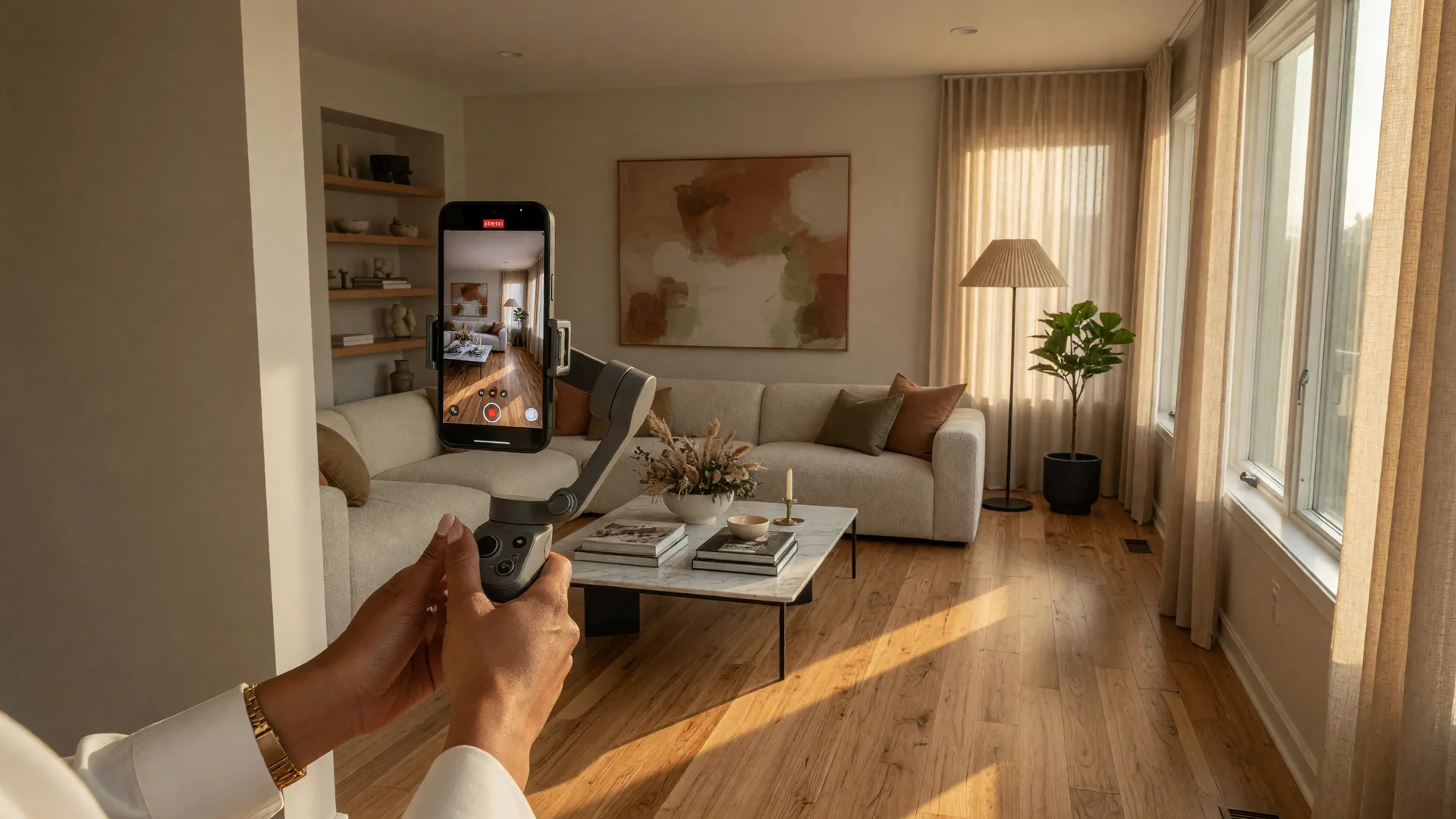
I have sold homes in every kind of market over the past 30 years. I have seen what works and what does not. And I can tell you without hesitation: the single most underused marketing tool in real estate today is video.
Not the professionally produced, $5,000 cinematic tour that takes a week to edit. Not the 20-minute walkthrough that nobody watches past the first 30 seconds. I am talking about strategic, intentional video content that shows buyers what a home actually feels like to walk through, and gives them a reason to pick up the phone and book a showing.
The numbers do not lie. Listings with video receive 403% more inquiries than those without. Homes with video marketing sell up to 31% faster. And 73% of homeowners say they would prefer to work with an agent who uses video to market their property. Yet according to industry research in 2026, only 9% of real estate agents consistently create video content for their listings.
That means the agents who do use video are not competing against other agents with video. They are competing against the 91% who are still relying on photos alone. This is an opportunity most agents are leaving on the table, and I want to show you exactly how to claim it.
Let me walk you through the system I teach agents in my coaching program. It is a repeatable process that takes about 45 minutes of filming and 20 minutes of editing per listing. You can do it with nothing more than a smartphone, a gimbal (optional but recommended), and a $10 lapel microphone.
Why Listing Video Works Better Than Any Other Marketing Asset
Here is something I learned early in my career. A photograph tells a buyer what a room looks like. A video tells them what it feels like. There is a fundamental difference between seeing a kitchen in a still image and watching someone walk through that kitchen, open the pantry, and point out the natural light coming through the window at 4 p.m.
Video triggers an emotional response that static images simply cannot create. It builds a connection. It helps buyers picture themselves living in the home. And in a market where buyers are more cautious and selective than they were two years ago, that emotional connection is what converts a browser into a showing.
Here is another reason video matters. The platforms where buyers discover listings are prioritizing video. Zillow, Realtor.com, and the major MLS portals all rank listings with video higher in search results. Instagram and Facebook's algorithms push Reels and video content harder than static posts. YouTube is the second-largest search engine on the planet, and every listing video you create is a piece of SEO-optimized content that can rank for months or years.
What Video Assets Do You Actually Need for Each Listing?
When I work with agents on their video strategy, I recommend creating four distinct video assets for every listing. You do not need all four for every home. But the more you produce, the more reach and engagement you will get. Here is the system:
The Four Listing Video Pillars
1. The Walkthrough Tour (1-2 minutes)
This is the foundation. A continuous walkthrough of the home from front door to backyard, filmed at a steady pace. Start in the entryway, move through the main living areas, highlight the kitchen (this is where buyers spend the most time looking), show the primary suite, and finish with the outdoor space. Use a gimbal for smooth footage. Speak naturally, pointing out features as you go. Do not read a script. Sound conversational, not like a voiceover artist.
2. The 60-Second Reel (15-60 seconds)
A short, punchy vertical video for Instagram Reels, TikTok, and YouTube Shorts. Feature the best angle of the home's most impressive room or feature. Add trending audio. Keep it fast-paced. The goal is not to show everything. The goal is to stop the scroll and make someone want to see the full tour. Post this within 48 hours of listing.
3. The Neighborhood Walkthrough (1-2 minutes)
Buyers are not just buying a house. They are buying a location. Film a short walkthrough of the neighborhood -- the closest coffee shop, the park down the street, the school zone, the grocery store. Show what makes living in this area special. This is the video that sets you apart from every other agent who only films the interior. It tells the buyer, "I know this neighborhood because I live and work here."
4. The Agent Introduction (30-60 seconds)
Stand in front of the home and introduce yourself. "Hey, I am Kim Donahue with Medway Realty, and I want to show you something special." Walk through the top three selling points of the home in less than 60 seconds. This builds personal connection and positions you as the expert who knows this listing inside and out. It also puts a face to the brand -- and buyers are far more likely to call an agent they have seen on video than one they have only seen in a headshot.
That is about 3 to 5 minutes of total video per listing. Filmed all at once, in one trip to the property. Edited in under 30 minutes using free or low-cost tools. Distributed across every platform where buyers search for homes.
What Equipment Do You Actually Need?
Let me save you from the gear trap. You do not need a cinema camera, a drone, or a professional lighting kit to create listing videos that sell homes. Here is what I recommend based on what actually moves the needle:
- Your smartphone. An iPhone 13 or newer, or any flagship Android from the last two years, shoots 4K video that looks professional. Do not buy a new phone for listing videos. Use the one in your pocket.
- A gimbal (under $100). This is the single best investment you can make for video quality. A DJI Osmo Mobile or similar stabilizer eliminates the shaky, amateur look that makes buyers click away. It turns your phone into a smooth video rig.
- A lapel microphone ($10-20). The lavalier mic that plugs into your phone's charging port or connects via Bluetooth. Clear audio signals professionalism. Nothing ruins a beautiful walkthrough faster than muffled sound.
- A simple video editor. CapCut (free) or InShot (free with paid upgrade) will do everything you need -- trimming clips, adding captions, adjusting exposure, and adding music. Do not buy Final Cut Pro or Adobe Premiere until you are producing 10+ listing videos a month and have outgrown the free tools.
Total investment: under $150. Return on that investment: listings that sell faster, owners who see you as a marketing expert, and a library of content that keeps generating leads for years.
How to Film Listing Videos That People Actually Watch
Here are the technical details that separate a video that gets watched from one that gets swiped past. I learned most of these from trial and error, and I teach them all in my coaching program because they make that big of a difference.
- Shoot horizontal for your primary walkthrough. That is the format that works best on YouTube, Facebook, and the MLS. Shoot vertical for your Reels and Shorts. Do not try to make one version work for both. Shoot both formats while you are on site.
- Walk at half speed of your normal pace. New videographers always move too fast. Slow, intentional movements let the viewer absorb the space. Pause at each room's entryway for three seconds before entering. This gives the eye a moment to register the scene.
- Use natural light as your primary source. Schedule shoot times when the sun is hitting the home's best windows. Open all blinds and curtains. Turn on all interior lights to balance the exposure. If a room is dark, skip it or film it last with supplemental lighting.
- Film in 4K at 30fps for the walkthrough and 60fps if you plan to slow any clips down. Most modern phones default to 30fps, which is perfect. Check your settings before you start filming.
- Keep the tour under 2 minutes for the main walkthrough. Viewer retention drops sharply after the 90-second mark. If the home is 5,000 square feet, feature the best rooms and let the buyer see the rest during the in-person showing.
How to Distribute Your Listing Videos for Maximum Reach
Filming is only half the equation. The other half is making sure the right people see your content. Here is the distribution system I use and teach:
- 1. Upload to YouTube first. YouTube is a search engine. Optimize your title, description, and tags for the property address and neighborhood. This video will rank in Google search for months.
- 2. Upload to the MLS if your MLS allows video. Many now support direct video uploads or embedded YouTube links. This puts your video in front of every agent in your market.
- 3. Post the 60-second Reel on Instagram, Facebook, and TikTok. Use the property address as a text overlay and add a clear call to action: "Link in bio to book a tour."
- 4. Share the walkthrough in local Facebook neighborhood groups. Do not make it a sales post. Frame it as helpful information: "Just filmed a walkthrough of this beautiful home in the neighborhood. Happy to answer questions for anyone curious about the area."
- 5. Embed the video on your website and in your email newsletter. Your past clients want to see what you are selling. Every view from a past client is a potential referral.
- 6. Send the link to your database in a dedicated email. Subject line: "Walkthrough video: [address]. You have to see the kitchen." Open rates on listing video emails average 35-45% in my experience.
The first 72 hours after a listing goes live are critical. This is when buyer interest peaks and when the algorithm attention window is widest. Have your video ready to publish within the first 48 hours of listing. If you wait a week, you have missed the wave.
What About AI Video Tools? Should You Use Them?
This is a question I get all the time in coaching sessions. AI video tools have come a long way, and I use several of them in my own marketing. For listing videos, AI is great at helping you repurpose and optimize content. It can generate captions automatically (CapCut does this), suggest the best clips from a longer video, and even create thumbnail images that drive higher click-through rates.
But AI cannot replace the thing that makes a listing video work: your presence and your knowledge of the property. A buyer wants to see the person who knows the neighborhood, the school district, the HOA rules, and the fact that the backyard gets afternoon shade. That is you. AI is a tool for efficiency, not a substitute for being the expert in your market.
If you want to go deeper on how to combine AI tools with your video marketing, I cover that extensively in my coaching program. The short version is: use AI for editing, captioning, and distribution. Use yourself for the content and the connection.
The Real Reason Most Agents Do Not Create Listing Videos (And How to Get Past It)
I have been coaching agents long enough to know the real reason only 9% of agents create listing videos. It is not because they do not have the equipment. It is not because they do not have the time. It is because they feel awkward on camera.
I understand that feeling completely. I felt awkward on camera when I started too. The first time you record yourself walking through a home, you will hate the way you sound. You will critique the way you move. You will want to delete everything and start over.
Here is the thing. Your buyer does not care if you sound "perfect." They care if you sound like a real person who knows what they are talking about. That is the standard. Not a polished TV host. A helpful expert who can show them a home and answer their questions.
The only way past the awkwardness is through it. Film your first video. Post it. Watch the response. Then film another one. By your third listing video, you will wonder why you waited so long. By your tenth one, you will have a system that takes less than an hour and generates leads for months.
And if you want help building that system, that is exactly what I do. Book a strategy call and let us build your video marketing workflow together.
Ready to Build Your Video Marketing System?
Book a free strategy call with Kim Donahue and get a personalized plan for creating listing videos that sell homes faster and build your brand.
Book Your Free Strategy CallFrequently Asked Questions
Do I need to hire a professional videographer to make listing videos that sell?
Not at all. In fact, buyers often prefer authentic agent-shot videos over polished productions. A professional shoot can cost $500 to $2,000 per listing and takes days to produce. Your smartphone video, filmed in 45 minutes and edited in 20, will get you 80% of the results for 5% of the cost. Save the professional production for luxury listings over $1 million. For everything else, use the system I outlined above.
What if I really do not want to be on camera?
That is a common concern, and it is valid. If you absolutely do not want to be on camera, you can still create effective listing videos. Film walkthroughs without narration and add voiceover in post-production. Or film the neighborhood tour without appearing in the frame. But I encourage you to try being on camera at least once. The agent-introduction video is the highest-converting format because it builds trust. A buyer who has seen you on video is far more likely to call you than someone who has only seen your headshot on a website.
How many listing views should I expect from a video?
It depends on the market and the distribution. A well-optimized listing video on YouTube for a $400,000 home in a mid-sized market should get 500 to 2,000 views over the listing period. The Reel version on Instagram might get 1,000 to 5,000 views if the algorithm picks it up. The number that matters is not views. It is inquiries. Track how many showing requests and calls come from people who mention the video. That is your real metric.
Should I send listing videos to my past clients too?
Yes, absolutely. This is one of the most overlooked distribution channels. Your past clients already trust you. When they see the quality of your listing videos, they feel proud of their decision to work with you, and they are more likely to refer you to their friends and family. Send a short email with the video link and a sentence like, "I just listed this home in the neighborhood and thought you might know someone who would love it." That simple email generates referrals on a regular basis.

Written by Kim Donahue
Kim Donahue is a REALTOR(R) with Medway Realty and a coach with 30+ years of experience across real estate, mortgage, and business ownership. She helps agents leverage video, AI, and modern marketing to build stronger businesses.
Learn more about Kim